Your Safety Library2024-11-13T17:27:25-04:00

Your Safety Library

From software to safety these are the top questions

Videos

Body placeholder for text paragraph. A paragraph is a self-contained unit of text

Featured FAQs

Frequently Asked Questions

Check out the answers to frequently asked questions about the Smart Safety Lockout Tagout software program.
Is the Lockout Tagout software customizable?2025-12-23T10:02:25-04:00

Yes. Smart Safety Pro is a lockout tagout software designed to be customizable for any organization.

The LOTO admin tool allows program administrators access to add and edit data points specific to their implementation. This includes things such as energy type, energy feed, magnitude, and locations.

Smart Safety Pro lockout tagout software also includes a fully customizable facility and divisional hierarchy setup. This means that equipment is placed into departments, buildings, floors, and zones for optimal inventory management and assignments. Facility view options include card style and divisional.

For corporate implementations, plant sites are easily segregated including user access.

How does the procedure approval work?2025-12-23T10:34:48-04:00

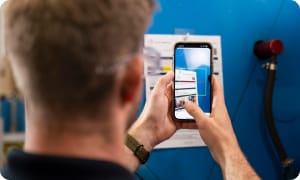
After a LOTO procedure is finished and submitted it is ready for approval. The Authorized User can review the procedure in the mobile app, make any necessary changes, then digitally approve it.

This activates the procedure QR code so that it can be scanned to auto-launch the mobile procedure execution anytime lockout tagout is required.

Can I manage multiple sites in one system?2025-12-23T09:58:32-04:00

Yes. Within the Smart Safety Pro Lockout Tagout software, companies can add multiple sites to their operations.

The customizable site map allows sites to be kept separate. The divisional hierarchy also allows companies to setup employees assignments and views by division.

Can I use digital lockout if my company doesn’t allow cameras?2025-12-23T10:47:47-04:00

Yes, the lockout tagout app can be used without cameras.

To maintain scan-ability, use the Smart Safety Pro lockout tagout app on a mobile computer with a security lockdown.

Lockout tagout procedures can also be executed by selecting the machine from the equipment list, or typing the procedure ID into the procedure lookup box.

From the Blog

Latest Stories & Articles

Our blog offers valuable information about LOTO regulations, LOTO compliance, LOTO program development, LOTO best practices, and LOTO software.

Go to Top