Your Safety Library2024-11-13T17:27:25-04:00

Your Safety Library

From software to safety these are the top questions

Videos

Body placeholder for text paragraph. A paragraph is a self-contained unit of text

Featured FAQs

Frequently Asked Questions

Check out the answers to frequently asked questions about the Smart Safety Lockout Tagout software program.

What is the benefit of mobile lockout tagout?2025-12-23T10:33:53-04:00

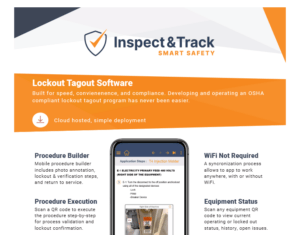
Mobile lockout tagout software offers visibility and insights into machine status that are not possible with a manual lockout tagout program. When a machine is locked out, the authorized employee scans a QR code, views each step of the procedure, and confirms on the screen that the step was completed successfully.

This offers two major benefits. First, it ensures that the procedure is followed correctly and includes documentation validation. Next, it changes the status of the equipment to “locked out”.

The Smart Safety Pro equipment dashboard displays real-time operating status of all equipment so that program managers verify details without walking out to the machine.

How do I return the machine to service?2025-12-23T10:32:40-04:00

When a machine is in a lockout or minor servicing status, scanning the procedure or energy source QR code launches the digital return-to-service process.

Using the same method as the lockout, the return-to-service steps are displayed one at a time on the screen and the authorized employee validates that each step is completed successfully.

When the return-to-service status is finalized, the real-time equipment status returns to operating.

Is there version tracking included?2025-12-23T10:34:20-04:00

Anytime a lockout tagout procedure is unapproved, edited, and re-approved, it is assigned a new procedure ID number.

This offers version tracking when reviewing historical reports and makes it possible to see which lockout tagout procedure was used at any point in time.

Can I limit what users have access to?2025-12-23T09:59:18-04:00

Yes. The Smart Safety Pro lockout tagout software has built in user permission groups to ensure users only perform functions that they are authorized to do.

The user groups allow or block the ability to create procedures, approve procedures, perform periodic inspections, perform machine lockout tagout events, or run reports.

Admins have complete control over who is given access to various software. This ensures that only authorized employees have the ability to use the lockout tagout software to perform a digital lockout.

From the Blog

Latest Stories & Articles

Our blog offers valuable information about LOTO regulations, LOTO compliance, LOTO program development, LOTO best practices, and LOTO software.

Go to Top