Features2025-12-17T12:59:40-04:00

Lockout Tagout Has
Never Been Easier

One single platform manages your entire lockout tagout program including procedure writing, performing lockout and return to service, periodic inspections, and a full suite of reporting and analytics.

Mobile Procedure Builder

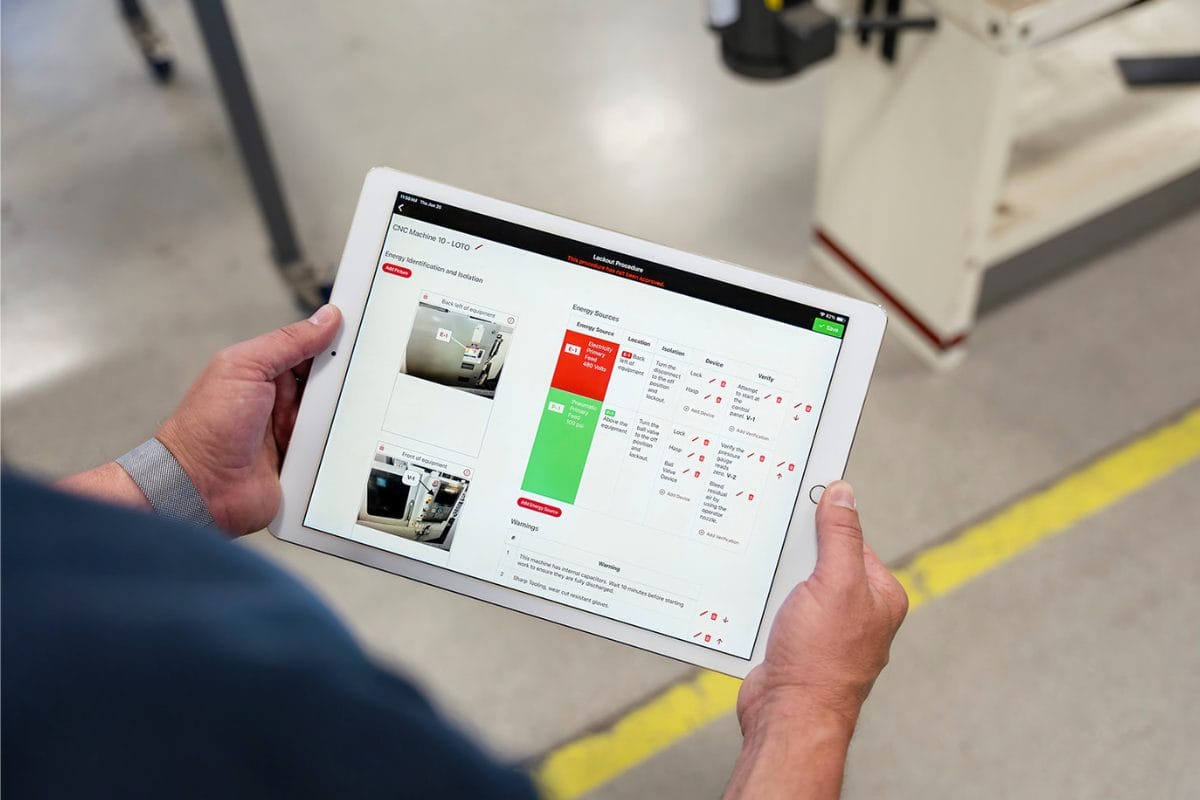
Write a lockout tagout procedure in minutes while standing right in front of the machine. The app even works without Wi-Fi or cellular data.

Mobile Lockout Completion

Each procedure has a unique system generated QR code printed on the top. Scan the QR code to begin the mobile lockout tagout process. This validate that each step was completed and updates the equipment status for real-time visibility into equipment operational status.

Mobile Periodic Inspection

The Smart Safety lockout tagout app automates OSHA compliance and maintains records of all periodic inspections at the individual equipment level. It even tracks previous inspection dates and schedules new inspections when they are due.

The Right Features to Make a Difference

The Smart Safety lockout tagout app is thoughtfully designed with the features you need

Learn About Our Lockout Tagout Software

Watch our video to see the Smart Safety Lockout Tagout
app in action and hear from a LOTO safety expert.

Featured FAQs

Frequently Asked Questions

Check out the answers to frequently asked questions about the Smart Safety Lockout Tagout software program.
Do I need to buy special scanners or hardware to use Smart Safety LOTO?2025-12-23T09:57:56-04:00

No. The Smart Safety Pro lockout tagout app can be downloaded from the public app store onto any device running Android or iOS. It works on cell phones and tablets, and scans barcodes with the device’s camera.

For companies with strict security requirements, the app should be installed on an enterprise grade mobile computer. This is a handheld device with an integrated laser scanner. It can be locked down to disable camera, bluetooth, WiFi, and any other prohibited feature.

Intrinsically safe mobile computers are also available for performing lockout tagout operations in C1D1 or C2D2 flammable environments.

How do I create a procedure report to attach to the machine?2025-12-23T10:41:32-04:00

With the Smart Safety Pro lockout tagout app, a procedure is written at the machine using the 100% mobile procedure builder. Once complete, it is available for viewing on the main procedure dashboard.

The steps of the procedure are automatically compiled into a beautiful custom branded report, and include Scope, Purpose, and Authorization; application steps, equipment pictures, energy identification and isolation instructions, and return to service steps.

No extra formatting is required – simply press the print button and attach the report to each machine.

Is there version tracking included?2025-12-23T10:34:20-04:00

Anytime a lockout tagout procedure is unapproved, edited, and re-approved, it is assigned a new procedure ID number.

This offers version tracking when reviewing historical reports and makes it possible to see which lockout tagout procedure was used at any point in time.

Can I use the app even if I don’t have WiFi?2025-12-23T09:59:56-04:00

Yes. The Smart Safety Pro Lockout Tagout app is built to work without a WiFi connection and transfers data between the software and the mobile app using a sync process.

Lockout tagout procedures, audits, and updates can be completed anytime, anywhere. This means that you will never be unable to use the lockout tagout app due to a machine being in an area without a WiFi or data connection.

From the Blog

Latest Stories & Articles

Our blog offers valuable information about LOTO regulations, LOTO compliance, LOTO program development, LOTO best practices, and LOTO software.

Go to Top